Interface Design System
Create versatile design systems that allow products to evolve without constant visual overhauls.
Create versatile design systems that allow products to evolve without constant visual overhauls.
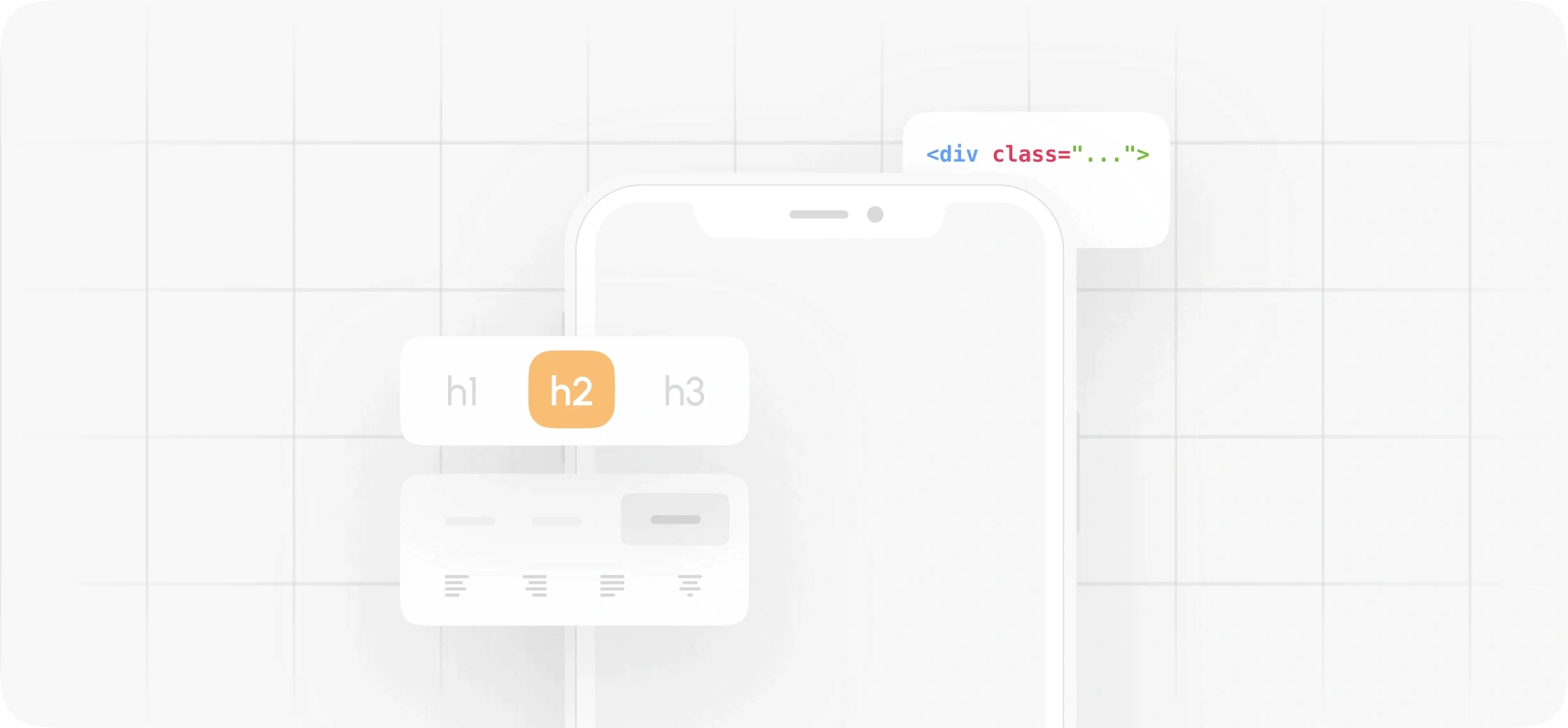
Inconsistent design is a silent drain on your team's velocity.
Without a central system, designers and developers waste hours reinventing the same components. This lack of structure leads to a fragmented product that is difficult to update and even harder to scale.
“
What you get
UI Components
Typography Scales
Color Tokens
Spacing Grid
Iconography
Interaction States
Component Documentation
Figma Variables
Light/Dark Modes
Developer Handoff
Color Tokens
Establishing a semantic naming system for the brand's color palette to bridge the gap between design and code implementation.
Component Documentation
Providing clear, strict guidelines and usage rules for every element in the library to ensure consistency during the build phase.
Light/Dark Modes
Designing adaptive interfaces that switch seamlessly between themes, ensuring accessibility and optimal viewing comfort in any lighting condition.
Figma Variables
Utilizing design tokens for colors, spacing, and typography to make systemic updates across the product scalable and highly efficient.
“
How it works
From 12 Weeks
From 12 Weeks
From 12 Weeks
1. Discovery
Understanding existing UI inconsistencies, brand guidelines, and developer needs.
2. Architecture
Structuring component hierarchies, naming conventions, and design tokens.
3. Design
Designing a scalable library of reusable UI components and detailed documentation.
4. Validation
Testing component flexibility and ensuring smooth handoff workflows with engineering.
Our Cases
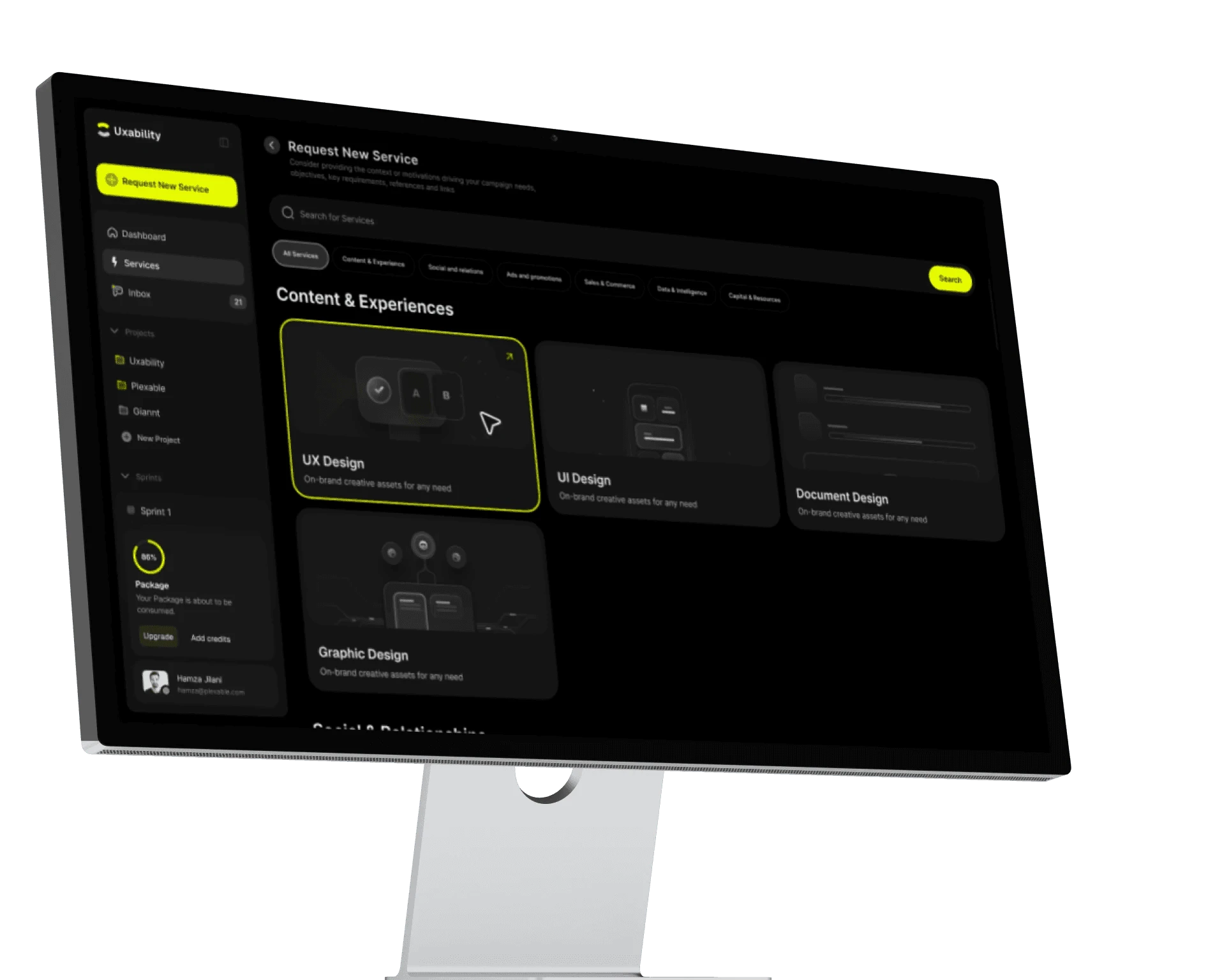
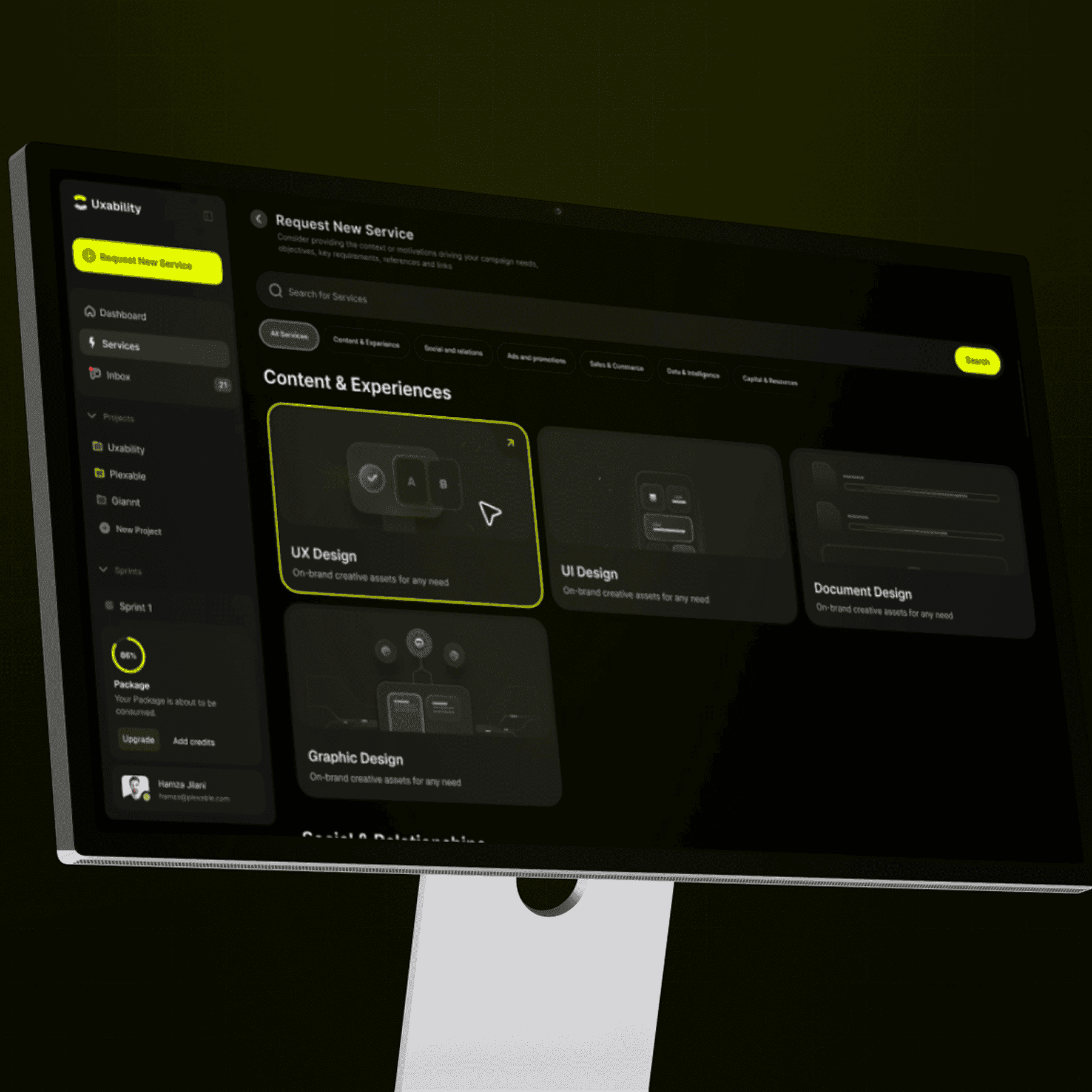
We developed comprehensive design systems for Uxability to streamline the handoff process and ensure visual integrity across every digital touchpoint.
Uxability
high-end, cross-platform platform that helps companies get design and dev work done fast.

Startup
Startup
Company Type
Company Type
Saas Application
Saas Application
Project type
Project type
2025
2025
Date
Date
UAE
UAE
Location
Location
Monthly
Monthly
Business model
Business model
Web/App
Web/App
Platforms
Platforms
“
Scalable Interface & Design Systems lead to
Design
ConsistencyShared UI Rules
Use one documented component and token set across the product.
Reusable
DeliveryReusable Components
Build new screens from tested patterns instead of rebuilding common UI.
Engineering
AlignmentShared UI Patterns
Give design and engineering the same tokens, components, states, and handoff rules.
System
MaintenanceCentral Updates
Change documented components and tokens in one place, then apply them consistently.
Accessible
ComponentsAccessible States
Document contrast, focus, keyboard, and screen-reader requirements for reusable components.
“
Strategic packages optimized for any entity
Since 2008, trusted by brands that scale.

STC
,

Speedi
,

Motory
,

POSRocket
,
Telenav

Moktiv
,

Giant
,
VIBES
VIBES
Vibes
,
And many more growing teams.
“
Are they trustworthy?
“
“
 believethatskillsreflectinthefeedbackonegets.Soweletourclients
 sayitinstead.
“
Plexable was a pleasure to work with!
We thoroughly enjoyed collaborating with Hamza, Abdul, and the team. They took ownership from day 1 and impressed us with their exceptional UX/UI expertise, and went above and beyond to help and support us.
Suruchi Gupta
Founder, Confidential
“
Working with Plexable
will accelerate your projectWorking with Plexable will accelerate your project. They provided me with extremely high-quality User Experience / Flow diagrams, and they provided it in a quick time frame and as promised. Unlike with other offshore providers that are reactive, Plexable drove the process and provided strong suggestions for improvement throughout. They took real ownership of the project as if it were their own.
Ahmad Wahidi
CEO, ELmeter

“
It was a genuinely smooth experience.
It was a genuinely smooth experience. They have a great eye for design, communicate clearly, and handle feedback with real professionalism. This was my second project with them, and once again, they delivered high-quality work ahead of schedule.
Omar Aref
Founder, DadCam
“
They delivered High Quality, Thoughtful Designs
We hired Hamza and his agency again for follow-up design work on our B2B SaaS platform, and as always, they did a fantastic job. had a pleasure to work with throughout. Reliable and flexible - we’ll definitely continue working with him.
Charles Pan
CPO, Revel Street

“
I have only good things
to say about the team at PlexableI have only good things to say about the team at Plexable. They bleed design and have a wealth of experience in UI/UX. The result for me was a very coherent design that is both beautiful and functional. I enjoyed every part of this project and can't wait for more projects with Plexable.
Mohammad Jawahri
CEO, Ursumli Game
“
It was a genuinely smooth experience
It was a genuinely smooth experience. They have a great eye for design, communicate clearly, and handle feedback with real professionalism. This was my second project with them, and once again, they delivered high-quality work ahead of schedule.
Truls Kasa
Co-Founder, Moktiv

“
Plexable helped us refine our core experience
By focusing on the logic, not just the visuals. They took our complex requirements and simplified them into a very clean, usable interface. It’s rare to find a design team that stays this focused on the actual end-user throughout the whole process.
Confidential
Co-Founder, Uxability
“
Plexable was a pleasure to work with!
We thoroughly enjoyed collaborating with Hamza, Abdul, and the team. They took ownership from day 1 and impressed us with their exceptional UX/UI expertise, and went above and beyond to help and support us.
Suruchi Gupta
Founder, Confidential
“
Working with Plexable
will accelerate your projectWorking with Plexable will accelerate your project. They provided me with extremely high-quality User Experience / Flow diagrams, and they provided it in a quick time frame and as promised. Unlike with other offshore providers that are reactive, Plexable drove the process and provided strong suggestions for improvement throughout. They took real ownership of the project as if it were their own.
Ahmad Wahidi
CEO, ELmeter
“
It was a genuinely smooth experience.
It was a genuinely smooth experience. They have a great eye for design, communicate clearly, and handle feedback with real professionalism. This was my second project with them, and once again, they delivered high-quality work ahead of schedule.
Omar Aref
Founder, DadCam
“
They delivered High Quality, Thoughtful Designs
We hired Hamza and his agency again for follow-up design work on our B2B SaaS platform, and as always, they did a fantastic job. had a pleasure to work with throughout. Reliable and flexible - we’ll definitely continue working with him.
Charles Pan
CPO, Revel Street
“
I have only good things
to say about the team at PlexableI have only good things to say about the team at Plexable. They bleed design and have a wealth of experience in UI/UX. The result for me was a very coherent design that is both beautiful and functional. I enjoyed every part of this project and can't wait for more projects with Plexable.
Mohammad Jawahri
CEO, Ursumli Game
“
It was a genuinely smooth experience
It was a genuinely smooth experience. They have a great eye for design, communicate clearly, and handle feedback with real professionalism. This was my second project with them, and once again, they delivered high-quality work ahead of schedule.
Truls Kasa
Co-Founder, Moktiv
“
Plexable helped us refine our core experience
By focusing on the logic, not just the visuals. They took our complex requirements and simplified them into a very clean, usable interface. It’s rare to find a design team that stays this focused on the actual end-user throughout the whole process.
Confidential
Co-Founder, Uxability
“
Plexable was a pleasure to work with!
We thoroughly enjoyed collaborating with Hamza, Abdul, and the team. They took ownership from day 1 and impressed us with their exceptional UX/UI expertise, and went above and beyond to help and support us.
Suruchi Gupta
Founder, Confidential
“
Working with Plexable
will accelerate your projectWorking with Plexable will accelerate your project. They provided me with extremely high-quality User Experience / Flow diagrams, and they provided it in a quick time frame and as promised. Unlike with other offshore providers that are reactive, Plexable drove the process and provided strong suggestions for improvement throughout. They took real ownership of the project as if it were their own.
Ahmad Wahidi
CEO, ELmeter
“
It was a genuinely smooth experience.
It was a genuinely smooth experience. They have a great eye for design, communicate clearly, and handle feedback with real professionalism. This was my second project with them, and once again, they delivered high-quality work ahead of schedule.
Omar Aref
Founder, DadCam
“
They delivered High Quality, Thoughtful Designs
We hired Hamza and his agency again for follow-up design work on our B2B SaaS platform, and as always, they did a fantastic job. had a pleasure to work with throughout. Reliable and flexible - we’ll definitely continue working with him.
Charles Pan
CPO, Revel Street
“
I have only good things
to say about the team at PlexableI have only good things to say about the team at Plexable. They bleed design and have a wealth of experience in UI/UX. The result for me was a very coherent design that is both beautiful and functional. I enjoyed every part of this project and can't wait for more projects with Plexable.
Mohammad Jawahri
CEO, Ursumli Game
“
It was a genuinely smooth experience
It was a genuinely smooth experience. They have a great eye for design, communicate clearly, and handle feedback with real professionalism. This was my second project with them, and once again, they delivered high-quality work ahead of schedule.
Truls Kasa
Co-Founder, Moktiv
“
Plexable helped us refine our core experience
By focusing on the logic, not just the visuals. They took our complex requirements and simplified them into a very clean, usable interface. It’s rare to find a design team that stays this focused on the actual end-user throughout the whole process.
Confidential
Co-Founder, Uxability
“
Plexable was a pleasure to work with!
We thoroughly enjoyed collaborating with Hamza, Abdul, and the team. They took ownership from day 1 and impressed us with their exceptional UX/UI expertise, and went above and beyond to help and support us.
Suruchi Gupta
Founder, Confidential
“
Working with Plexable
will accelerate your projectWorking with Plexable will accelerate your project. They provided me with extremely high-quality User Experience / Flow diagrams, and they provided it in a quick time frame and as promised. Unlike with other offshore providers that are reactive, Plexable drove the process and provided strong suggestions for improvement throughout. They took real ownership of the project as if it were their own.
Ahmad Wahidi
CEO, ELmeter
“
It was a genuinely smooth experience.
It was a genuinely smooth experience. They have a great eye for design, communicate clearly, and handle feedback with real professionalism. This was my second project with them, and once again, they delivered high-quality work ahead of schedule.
Omar Aref
Founder, DadCam
“
They delivered High Quality, Thoughtful Designs
We hired Hamza and his agency again for follow-up design work on our B2B SaaS platform, and as always, they did a fantastic job. had a pleasure to work with throughout. Reliable and flexible - we’ll definitely continue working with him.
Charles Pan
CPO, Revel Street
“
I have only good things
to say about the team at PlexableI have only good things to say about the team at Plexable. They bleed design and have a wealth of experience in UI/UX. The result for me was a very coherent design that is both beautiful and functional. I enjoyed every part of this project and can't wait for more projects with Plexable.
Mohammad Jawahri
CEO, Ursumli Game
“
It was a genuinely smooth experience
It was a genuinely smooth experience. They have a great eye for design, communicate clearly, and handle feedback with real professionalism. This was my second project with them, and once again, they delivered high-quality work ahead of schedule.
Truls Kasa
Co-Founder, Moktiv
“
Plexable helped us refine our core experience
By focusing on the logic, not just the visuals. They took our complex requirements and simplified them into a very clean, usable interface. It’s rare to find a design team that stays this focused on the actual end-user throughout the whole process.
Confidential
Co-Founder, Uxability
“
Plexable was a pleasure to work with!
We thoroughly enjoyed collaborating with Hamza, Abdul, and the team. They took ownership from day 1 and impressed us with their exceptional UX/UI expertise, and went above and beyond to help and support us.
Suruchi Gupta
Founder, Confidential
“
Working with Plexablewill accelerate your project
Working with Plexable will accelerate your project. They provided me with extremely high-quality User Experience / Flow diagrams, and they provided it in a quick time frame and as promised. Unlike with other offshore providers that are reactive, Plexable drove the process and provided strong suggestions for improvement throughout. They took real ownership of the project as if it were their own.
Ahmad Wahidi
CEO, ELmeter
“
It was a genuinely smooth experience.
It was a genuinely smooth experience. They have a great eye for design, communicate clearly, and handle feedback with real professionalism. This was my second project with them, and once again, they delivered high-quality work ahead of schedule.
Omar Aref
Founder, DadCam
“
They delivered High Quality, Thoughtful Designs
We hired Hamza and his agency again for follow-up design work on our B2B SaaS platform, and as always, they did a fantastic job. had a pleasure to work with throughout. Reliable and flexible - we’ll definitely continue working with him.
Charles Pan
CPO, Revel Street
“
I have only good thingsto say about the team at Plexable
I have only good things to say about the team at Plexable. They bleed design and have a wealth of experience in UI/UX. The result for me was a very coherent design that is both beautiful and functional. I enjoyed every part of this project and can't wait for more projects with Plexable.
Mohammad Jawahri
CEO, Ursumli Game
“
They delivered High Quality, Thoughtful Designs
We hired Hamza and his agency again for follow-up design work on our B2B SaaS platform, and as always, they did a fantastic job. had a pleasure to work with throughout. Reliable and flexible - we’ll definitely continue working with him.
Truls Kasa
Co-Founder, Moktiv
“
Plexable helped us refine our core experience
By focusing on the logic, not just the visuals. They took our complex requirements and simplified them into a very clean, usable interface. It’s rare to find a design team that stays this focused on the actual end-user throughout the whole process.
Confidential
Co-Founder, Uxability
“
Plexable was a pleasure to work with!
We thoroughly enjoyed collaborating with Hamza, Abdul, and the team. They took ownership from day 1 and impressed us with their exceptional UX/UI expertise, and went above and beyond to help and support us.
Suruchi Gupta
Founder, Confidential
“
Working with Plexablewill accelerate your project
Working with Plexable will accelerate your project. They provided me with extremely high-quality User Experience / Flow diagrams, and they provided it in a quick time frame and as promised. Unlike with other offshore providers that are reactive, Plexable drove the process and provided strong suggestions for improvement throughout. They took real ownership of the project as if it were their own.
Ahmad Wahidi
CEO, ELmeter
“
It was a genuinely smooth experience.
It was a genuinely smooth experience. They have a great eye for design, communicate clearly, and handle feedback with real professionalism. This was my second project with them, and once again, they delivered high-quality work ahead of schedule.
Omar Aref
Founder, DadCam
“
They delivered High Quality, Thoughtful Designs
We hired Hamza and his agency again for follow-up design work on our B2B SaaS platform, and as always, they did a fantastic job. had a pleasure to work with throughout. Reliable and flexible - we’ll definitely continue working with him.
Charles Pan
CPO, Revel Street
“
I have only good thingsto say about the team at Plexable
I have only good things to say about the team at Plexable. They bleed design and have a wealth of experience in UI/UX. The result for me was a very coherent design that is both beautiful and functional. I enjoyed every part of this project and can't wait for more projects with Plexable.
Mohammad Jawahri
CEO, Ursumli Game
“
They delivered High Quality, Thoughtful Designs
We hired Hamza and his agency again for follow-up design work on our B2B SaaS platform, and as always, they did a fantastic job. had a pleasure to work with throughout. Reliable and flexible - we’ll definitely continue working with him.
Truls Kasa
Co-Founder, Moktiv
“
Plexable helped us refine our core experience
By focusing on the logic, not just the visuals. They took our complex requirements and simplified them into a very clean, usable interface. It’s rare to find a design team that stays this focused on the actual end-user throughout the whole process.
Confidential
Co-Founder, Uxability
“
Plexable was a pleasure to work with!
We thoroughly enjoyed collaborating with Hamza, Abdul, and the team. They took ownership from day 1 and impressed us with their exceptional UX/UI expertise, and went above and beyond to help and support us.
Suruchi Gupta
Founder, Confidential
“
Working with Plexablewill accelerate your project
Working with Plexable will accelerate your project. They provided me with extremely high-quality User Experience / Flow diagrams, and they provided it in a quick time frame and as promised. Unlike with other offshore providers that are reactive, Plexable drove the process and provided strong suggestions for improvement throughout. They took real ownership of the project as if it were their own.
Ahmad Wahidi
CEO, ELmeter
“
It was a genuinely smooth experience.
It was a genuinely smooth experience. They have a great eye for design, communicate clearly, and handle feedback with real professionalism. This was my second project with them, and once again, they delivered high-quality work ahead of schedule.
Omar Aref
Founder, DadCam
“
They delivered High Quality, Thoughtful Designs
We hired Hamza and his agency again for follow-up design work on our B2B SaaS platform, and as always, they did a fantastic job. had a pleasure to work with throughout. Reliable and flexible - we’ll definitely continue working with him.
Charles Pan
CPO, Revel Street
“
I have only good thingsto say about the team at Plexable
I have only good things to say about the team at Plexable. They bleed design and have a wealth of experience in UI/UX. The result for me was a very coherent design that is both beautiful and functional. I enjoyed every part of this project and can't wait for more projects with Plexable.
Mohammad Jawahri
CEO, Ursumli Game
“
They delivered High Quality, Thoughtful Designs
We hired Hamza and his agency again for follow-up design work on our B2B SaaS platform, and as always, they did a fantastic job. had a pleasure to work with throughout. Reliable and flexible - we’ll definitely continue working with him.
Truls Kasa
Co-Founder, Moktiv
“
Plexable helped us refine our core experience
By focusing on the logic, not just the visuals. They took our complex requirements and simplified them into a very clean, usable interface. It’s rare to find a design team that stays this focused on the actual end-user throughout the whole process.
Confidential
Co-Founder, Uxability
“
Plexable was a pleasure to work with!
We thoroughly enjoyed collaborating with Hamza, Abdul, and the team. They took ownership from day 1 and impressed us with their exceptional UX/UI expertise, and went above and beyond to help and support us.
Suruchi Gupta
Founder, Confidential
“
Working with Plexablewill accelerate your project
Working with Plexable will accelerate your project. They provided me with extremely high-quality User Experience / Flow diagrams, and they provided it in a quick time frame and as promised. Unlike with other offshore providers that are reactive, Plexable drove the process and provided strong suggestions for improvement throughout. They took real ownership of the project as if it were their own.
Ahmad Wahidi
CEO, ELmeter
“
It was a genuinely smooth experience.
It was a genuinely smooth experience. They have a great eye for design, communicate clearly, and handle feedback with real professionalism. This was my second project with them, and once again, they delivered high-quality work ahead of schedule.
Omar Aref
Founder, DadCam
“
They delivered High Quality, Thoughtful Designs
We hired Hamza and his agency again for follow-up design work on our B2B SaaS platform, and as always, they did a fantastic job. had a pleasure to work with throughout. Reliable and flexible - we’ll definitely continue working with him.
Charles Pan
CPO, Revel Street
“
I have only good thingsto say about the team at Plexable
I have only good things to say about the team at Plexable. They bleed design and have a wealth of experience in UI/UX. The result for me was a very coherent design that is both beautiful and functional. I enjoyed every part of this project and can't wait for more projects with Plexable.
Mohammad Jawahri
CEO, Ursumli Game
“
They delivered High Quality, Thoughtful Designs
We hired Hamza and his agency again for follow-up design work on our B2B SaaS platform, and as always, they did a fantastic job. had a pleasure to work with throughout. Reliable and flexible - we’ll definitely continue working with him.
Truls Kasa
Co-Founder, Moktiv
“
Plexable helped us refine our core experience
By focusing on the logic, not just the visuals. They took our complex requirements and simplified them into a very clean, usable interface. It’s rare to find a design team that stays this focused on the actual end-user throughout the whole process.
Confidential
Co-Founder, Uxability
“
Plexable was a pleasure to work with!
We thoroughly enjoyed collaborating with Hamza, Abdul, and the team. They took ownership from day 1 and impressed us with their exceptional UX/UI expertise, and went above and beyond to help and support us.
Suruchi Gupta
Founder, Confidential
“
Plexable was a pleasure to work with!
We thoroughly enjoyed collaborating with Hamza, Abdul, and the team. They took ownership from day 1 and impressed us with their exceptional UX/UI expertise, and went above and beyond to help and support us.
Ahmad Wahidi
CEO, ELmeter
“
It was a genuinely smooth experience.
It was a genuinely smooth experience. They have a great eye for design, communicate clearly, and handle feedback with real professionalism. This was my second project with them, and once again, they delivered high-quality work ahead of schedule.
Omar Aref
Founder, DadCam
“
They delivered High Quality, Thoughtful Designs
We hired Hamza and his agency again for follow-up design work on our B2B SaaS platform, and as always, they did a fantastic job. had a pleasure to work with throughout. Reliable and flexible - we’ll definitely continue working with him.
Charles Pan
CPO, Revel Street
“
I have only good thingsto say about the team at Plexable
I have only good things to say about the team at Plexable. They bleed design and have a wealth of experience in UI/UX. The result for me was a very coherent design that is both beautiful and functional. I enjoyed every part of this project and can't wait for more projects with Plexable.
Mohammad Jawahri
CEO, Ursumli Game
“
They delivered High Quality, Thoughtful Designs
We hired Hamza and his agency again for follow-up design work on our B2B SaaS platform, and as always, they did a fantastic job. had a pleasure to work with throughout. Reliable and flexible - we’ll definitely continue working with him.
Truls Kasa
Co-Founder, Moktiv
“
Plexable helped us refine our core experience
By focusing on the logic, not just the visuals. They took our complex requirements and simplified them into a very clean, usable interface. It’s rare to find a design team that stays this focused on the actual end-user throughout the whole process.
Confidential
Co-Founder, Uxability
“
Plexable was a pleasure to work with!
We thoroughly enjoyed collaborating with Hamza, Abdul, and the team. They took ownership from day 1 and impressed us with their exceptional UX/UI expertise, and went above and beyond to help and support us.
Suruchi Gupta
Founder, Confidential
“
Plexable was a pleasure to work with!
We thoroughly enjoyed collaborating with Hamza, Abdul, and the team. They took ownership from day 1 and impressed us with their exceptional UX/UI expertise, and went above and beyond to help and support us.
Ahmad Wahidi
CEO, ELmeter
“
It was a genuinely smooth experience.
It was a genuinely smooth experience. They have a great eye for design, communicate clearly, and handle feedback with real professionalism. This was my second project with them, and once again, they delivered high-quality work ahead of schedule.
Omar Aref
Founder, DadCam
“
They delivered High Quality, Thoughtful Designs
We hired Hamza and his agency again for follow-up design work on our B2B SaaS platform, and as always, they did a fantastic job. had a pleasure to work with throughout. Reliable and flexible - we’ll definitely continue working with him.
Charles Pan
CPO, Revel Street
“
I have only good thingsto say about the team at Plexable
I have only good things to say about the team at Plexable. They bleed design and have a wealth of experience in UI/UX. The result for me was a very coherent design that is both beautiful and functional. I enjoyed every part of this project and can't wait for more projects with Plexable.
Mohammad Jawahri
CEO, Ursumli Game
“
They delivered High Quality, Thoughtful Designs
We hired Hamza and his agency again for follow-up design work on our B2B SaaS platform, and as always, they did a fantastic job. had a pleasure to work with throughout. Reliable and flexible - we’ll definitely continue working with him.
Truls Kasa
Co-Founder, Moktiv
“
Plexable helped us refine our core experience
By focusing on the logic, not just the visuals. They took our complex requirements and simplified them into a very clean, usable interface. It’s rare to find a design team that stays this focused on the actual end-user throughout the whole process.
Confidential
Co-Founder, Uxability
“
Plexable was a pleasure to work with!
We thoroughly enjoyed collaborating with Hamza, Abdul, and the team. They took ownership from day 1 and impressed us with their exceptional UX/UI expertise, and went above and beyond to help and support us.
Suruchi Gupta
Founder, Confidential
“
Plexable was a pleasure to work with!
We thoroughly enjoyed collaborating with Hamza, Abdul, and the team. They took ownership from day 1 and impressed us with their exceptional UX/UI expertise, and went above and beyond to help and support us.
Ahmad Wahidi
CEO, ELmeter
“
It was a genuinely smooth experience.
It was a genuinely smooth experience. They have a great eye for design, communicate clearly, and handle feedback with real professionalism. This was my second project with them, and once again, they delivered high-quality work ahead of schedule.
Omar Aref
Founder, DadCam
“
They delivered High Quality, Thoughtful Designs
We hired Hamza and his agency again for follow-up design work on our B2B SaaS platform, and as always, they did a fantastic job. had a pleasure to work with throughout. Reliable and flexible - we’ll definitely continue working with him.
Charles Pan
CPO, Revel Street
“
I have only good thingsto say about the team at Plexable
I have only good things to say about the team at Plexable. They bleed design and have a wealth of experience in UI/UX. The result for me was a very coherent design that is both beautiful and functional. I enjoyed every part of this project and can't wait for more projects with Plexable.
Mohammad Jawahri
CEO, Ursumli Game
“
They delivered High Quality, Thoughtful Designs
We hired Hamza and his agency again for follow-up design work on our B2B SaaS platform, and as always, they did a fantastic job. had a pleasure to work with throughout. Reliable and flexible - we’ll definitely continue working with him.
Truls Kasa
Co-Founder, Moktiv
“
Plexable helped us refine our core experience
By focusing on the logic, not just the visuals. They took our complex requirements and simplified them into a very clean, usable interface. It’s rare to find a design team that stays this focused on the actual end-user throughout the whole process.
Confidential
Co-Founder, Uxability
“
Plexable was a pleasure to work with!
We thoroughly enjoyed collaborating with Hamza, Abdul, and the team. They took ownership from day 1 and impressed us with their exceptional UX/UI expertise, and went above and beyond to help and support us.
Suruchi Gupta
Founder, Confidential
“
Plexable was a pleasure to work with!
We thoroughly enjoyed collaborating with Hamza, Abdul, and the team. They took ownership from day 1 and impressed us with their exceptional UX/UI expertise, and went above and beyond to help and support us.
Ahmad Wahidi
CEO, ELmeter
“
It was a genuinely smooth experience.
It was a genuinely smooth experience. They have a great eye for design, communicate clearly, and handle feedback with real professionalism. This was my second project with them, and once again, they delivered high-quality work ahead of schedule.
Omar Aref
Founder, DadCam
“
They delivered High Quality, Thoughtful Designs
We hired Hamza and his agency again for follow-up design work on our B2B SaaS platform, and as always, they did a fantastic job. had a pleasure to work with throughout. Reliable and flexible - we’ll definitely continue working with him.
Charles Pan
CPO, Revel Street
“
I have only good thingsto say about the team at Plexable
I have only good things to say about the team at Plexable. They bleed design and have a wealth of experience in UI/UX. The result for me was a very coherent design that is both beautiful and functional. I enjoyed every part of this project and can't wait for more projects with Plexable.
Mohammad Jawahri
CEO, Ursumli Game
“
They delivered High Quality, Thoughtful Designs
We hired Hamza and his agency again for follow-up design work on our B2B SaaS platform, and as always, they did a fantastic job. had a pleasure to work with throughout. Reliable and flexible - we’ll definitely continue working with him.
Truls Kasa
Co-Founder, Moktiv
“
Plexable helped us refine our core experience
By focusing on the logic, not just the visuals. They took our complex requirements and simplified them into a very clean, usable interface. It’s rare to find a design team that stays this focused on the actual end-user throughout the whole process.
Confidential
Co-Founder, Uxability
Frequently Asked Questions
A UI kit is mainly a set of interface assets. A design system also defines how those assets are used through tokens, component behavior, content rules, and documentation. It gives product and engineering teams a shared reference, while consistent use still depends on governance and implementation.
Reusable components can reduce repeated design and frontend work because teams do not need to solve the same interface pattern each time. The time saved depends on the product, codebase, component coverage, adoption, and maintenance. A percentage requires a measured baseline and later delivery data.
A custom design system usually starts from 8 to 12 weeks. Work can include an audit of current assets, tokens, components, states, and usage documentation. The schedule depends on the products, platforms, and teams covered.
Yes. We document design tokens, component states, behavior, and implementation notes for the agreed stack. Engineering reviews how those specifications map to React, Vue, Swift, or another framework. Coded components are separate unless included.
A modular system gives teams existing tokens, components, and rules to use when a new feature fits known patterns. New requirements may still need new components or revisions to the system. A contribution and review process helps the team add those changes without creating conflicting patterns.
Yes. We can document the system in Figma or Framer, covering the agreed components, accessibility notes, spacing logic, and usage guidance. Detail depends on the scope and the needs of design and engineering. The team still needs an owner to maintain the system.
A UI kit is mainly a set of interface assets. A design system also defines how those assets are used through tokens, component behavior, content rules, and documentation. It gives product and engineering teams a shared reference, while consistent use still depends on governance and implementation.
Reusable components can reduce repeated design and frontend work because teams do not need to solve the same interface pattern each time. The time saved depends on the product, codebase, component coverage, adoption, and maintenance. A percentage requires a measured baseline and later delivery data.
A custom design system usually starts from 8 to 12 weeks. Work can include an audit of current assets, tokens, components, states, and usage documentation. The schedule depends on the products, platforms, and teams covered.
Yes. We document design tokens, component states, behavior, and implementation notes for the agreed stack. Engineering reviews how those specifications map to React, Vue, Swift, or another framework. Coded components are separate unless included.
A modular system gives teams existing tokens, components, and rules to use when a new feature fits known patterns. New requirements may still need new components or revisions to the system. A contribution and review process helps the team add those changes without creating conflicting patterns.
Yes. We can document the system in Figma or Framer, covering the agreed components, accessibility notes, spacing logic, and usage guidance. Detail depends on the scope and the needs of design and engineering. The team still needs an owner to maintain the system.
A UI kit is mainly a set of interface assets. A design system also defines how those assets are used through tokens, component behavior, content rules, and documentation. It gives product and engineering teams a shared reference, while consistent use still depends on governance and implementation.
Reusable components can reduce repeated design and frontend work because teams do not need to solve the same interface pattern each time. The time saved depends on the product, codebase, component coverage, adoption, and maintenance. A percentage requires a measured baseline and later delivery data.
A custom design system usually starts from 8 to 12 weeks. Work can include an audit of current assets, tokens, components, states, and usage documentation. The schedule depends on the products, platforms, and teams covered.
Yes. We document design tokens, component states, behavior, and implementation notes for the agreed stack. Engineering reviews how those specifications map to React, Vue, Swift, or another framework. Coded components are separate unless included.
A modular system gives teams existing tokens, components, and rules to use when a new feature fits known patterns. New requirements may still need new components or revisions to the system. A contribution and review process helps the team add those changes without creating conflicting patterns.
Yes. We can document the system in Figma or Framer, covering the agreed components, accessibility notes, spacing logic, and usage guidance. Detail depends on the scope and the needs of design and engineering. The team still needs an owner to maintain the system.
Still have a question?
So, are you ready to create a wow-factor design?
Say
Say

Hello
Hello
Interested in joining our team?

Jordan