Accessibility Design Services
Design websites, SaaS products and apps around clearer, more inclusive interaction patterns.
Design websites, SaaS products and apps around clearer, more inclusive interaction patterns.
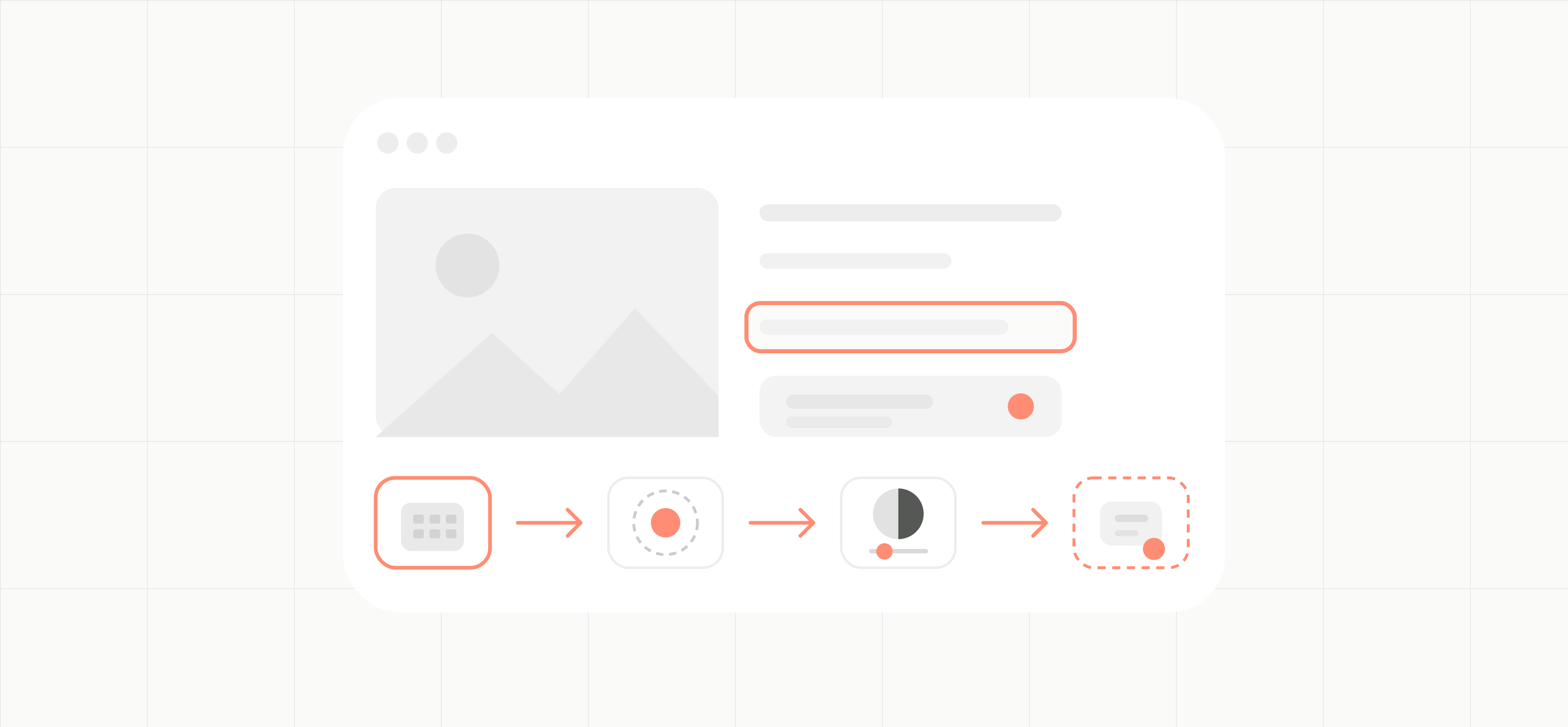
Build accessibility into the interface before it becomes a backlog.
Accessibility decisions shape navigation, content, forms and component states. We review the journeys in scope, agree the WCAG target and translate the findings into design changes your team can implement and verify.
“
What you get
Interface Review
Journey Scope
WCAG Target
Contrast Guidance
Keyboard States
Form Patterns
Content Structure
Annotated Screens
Component States
Remediation Priorities
Accessible Interface Design
Design or revise priority screens with readable hierarchy, adaptable layouts, clear interaction states and target sizes that support different ways of using the product.
Keyboard and Focus Patterns
Specify logical focus order, visible focus states and predictable behaviour for navigation, dialogs, menus and other interactive components.
Content, Forms and Systems
Clarify headings, labels, instructions, errors and status messages. Define reusable component states and usage guidance that teams can carry into future releases.
“
How it works
Scoped to Your Product
Scoped to Your Product
Scoped to Your Product
1. Agree the scope and target
Choose the product, priority journeys, user roles and supported technologies. Confirm the WCAG version and level the work will reference, along with requirements your counsel has identified.
2. Review priority journeys
Inspect the agreed screens, states and components. Use available findings, research and support feedback to identify barriers and separate evidence from open questions.
3. Design and annotate patterns
Revise the interface and document the intended structure, focus behaviour, labels, errors and responsive states. Keep the reasoning with the design so developers can act on it.
4. Prepare implementation and verification
Review the handoff with your team and define what must be checked in the implemented product. Development, formal conformance evaluation and research with disabled users are scoped separately when needed.
Related product work
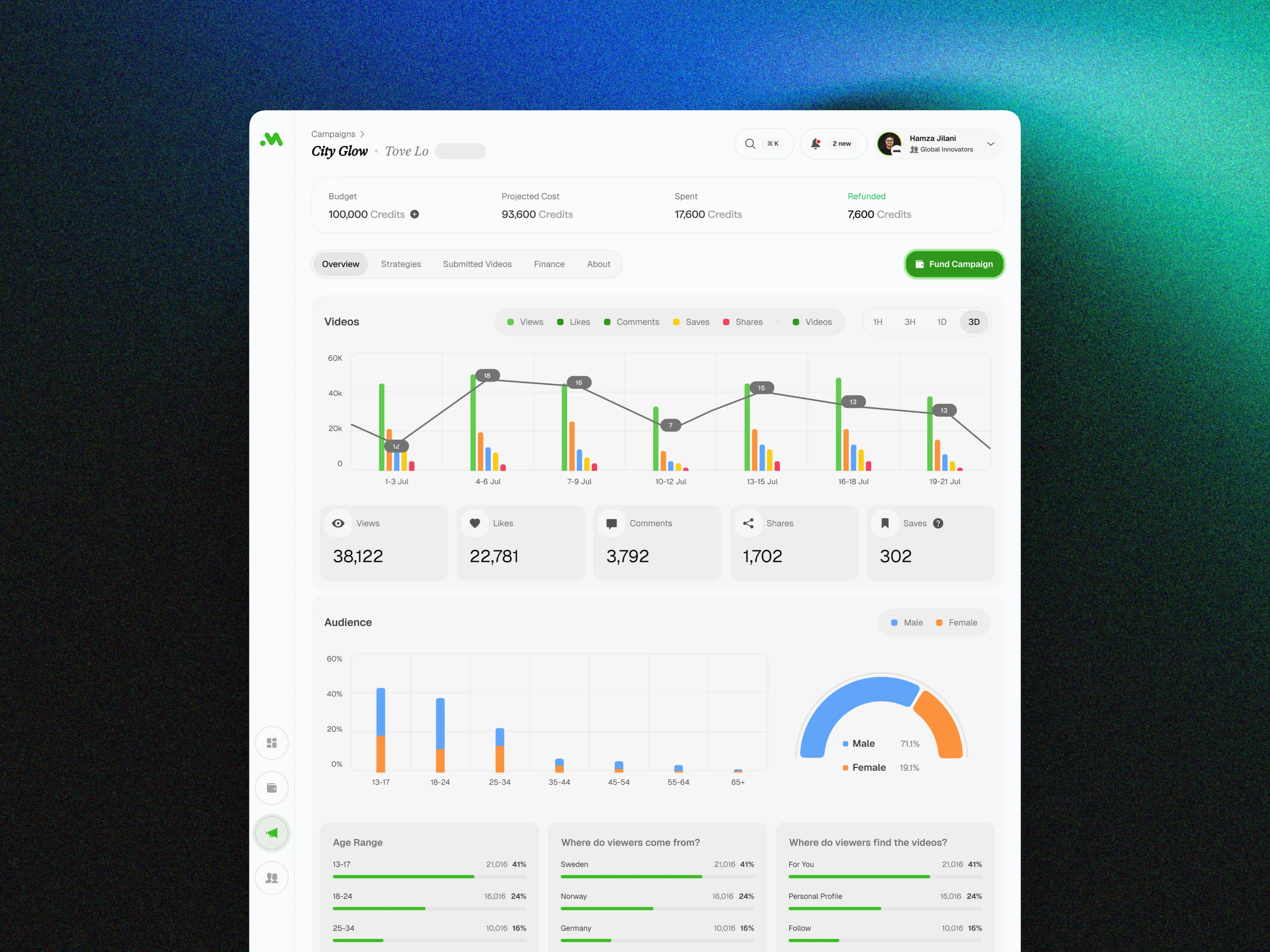
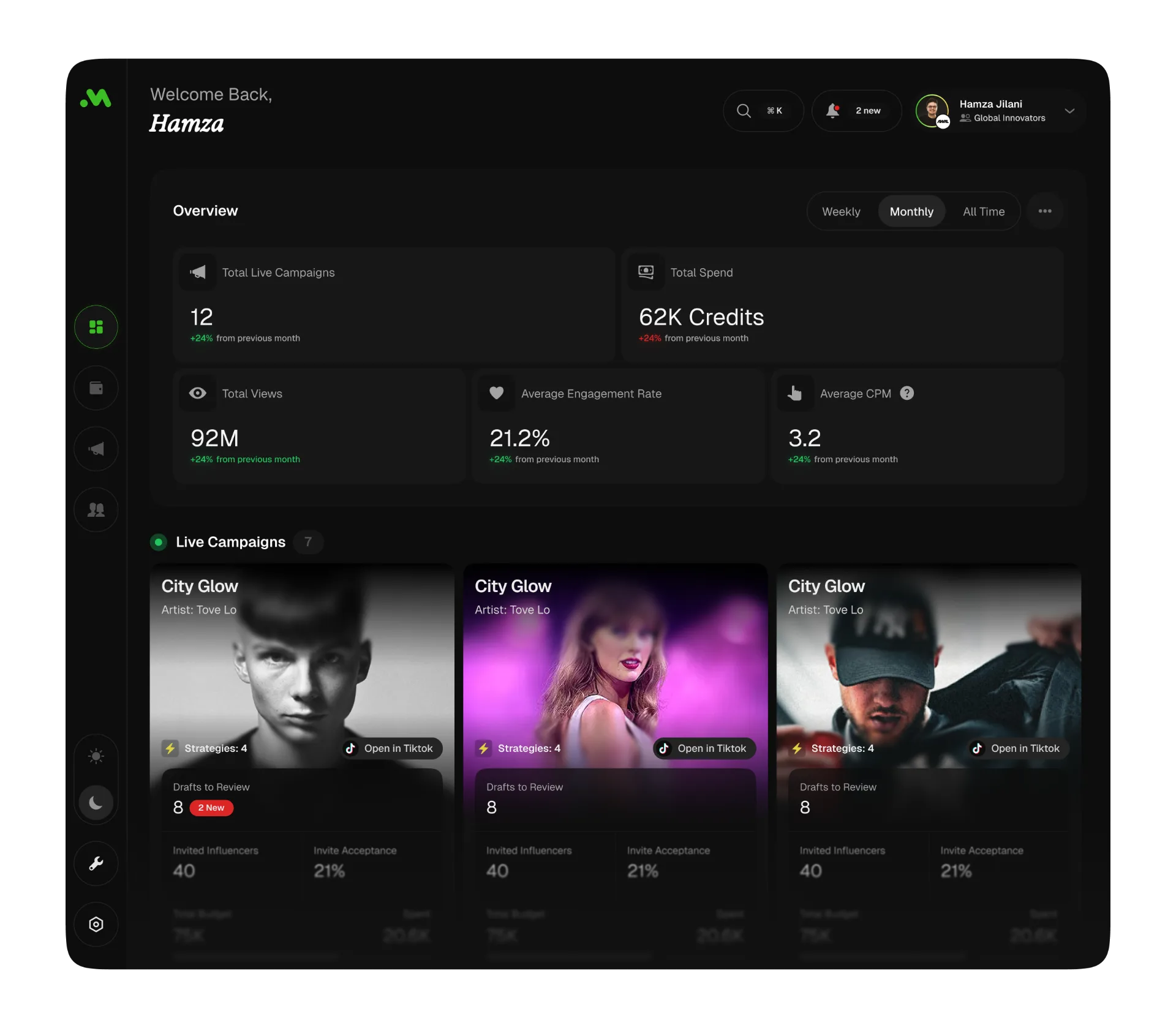
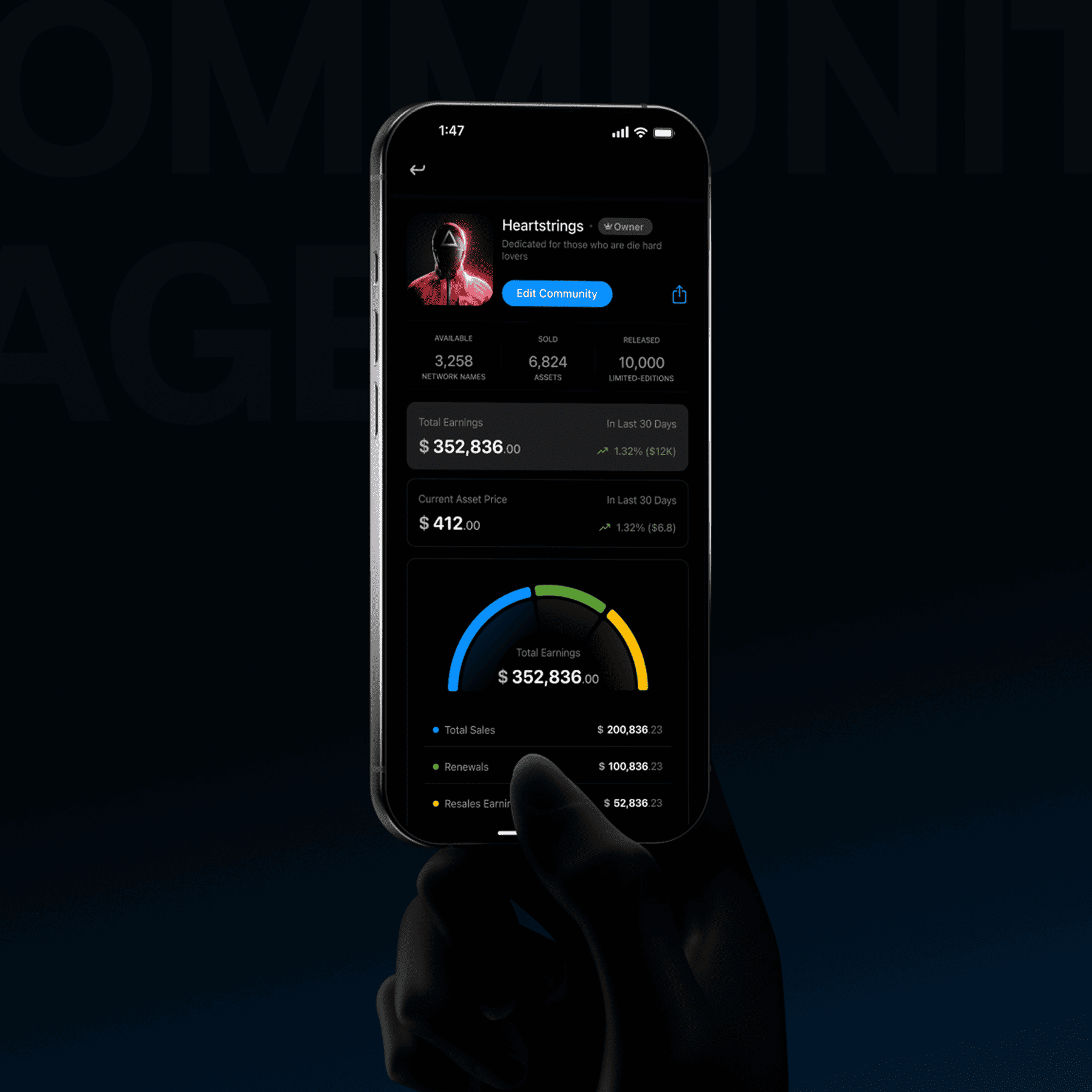
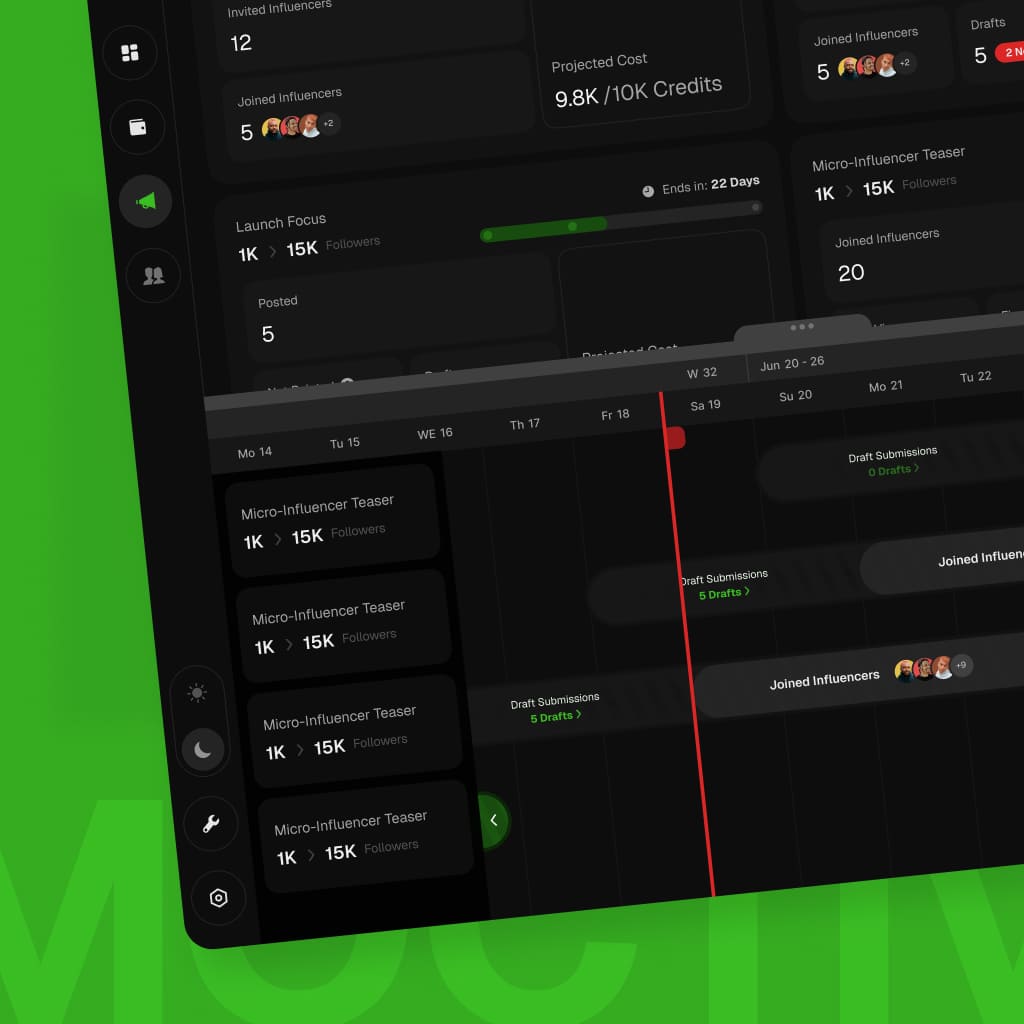
Explore Moktiv SaaS, a product workspace for campaign management and creator performance.
Moktiv SaaS
Campaign management for music labels, with creator activity and performance data in one workspace.
Music
Music
Industry
Industry
Web App
Web App
Project type
Project type
UX / UI
UX / UI
Design scope
Design scope
Tasks
Tasks
Campaign management
Campaign management
Data
Data
Performance review
Performance review
Roles
Roles
Team collaboration
Team collaboration
“
What accessibility design helps your team decide
Visible
BarriersSee what blocks use
Tie each issue to a screen, component or task instead of treating accessibility as a general concern.
Ordered
ChangesDecide what comes first
Prioritise changes by user impact, journey importance, evidence and delivery dependencies.
Clear
SpecificationsGive developers the states
Document focus, labels, errors, responsive behaviour and component states alongside the design.
Reusable
PatternsImprove the next release
Carry approved patterns into the design system so new screens start from clearer defaults.
Defined
VerificationKnow what must be checked
Set the checks, environments and responsibilities needed after the design is implemented.
“
Accessibility support for your product stage
Since 2008, trusted by brands that scale.

STC
,

Speedi
,

Motory
,

POSRocket
,
Telenav

Moktiv
,

Giant
,
VIBES
VIBES
Vibes
,
And many more growing teams.
“
Are they trustworthy?
“
“
 clearestproofiswhatclientssayaftertheworkships.
“
Plexable was a pleasure to work with!
We thoroughly enjoyed collaborating with Hamza, Abdul, and the team. They took ownership from day 1 and impressed us with their exceptional UX/UI expertise, and went above and beyond to help and support us.
Suruchi Gupta
Founder, Confidential

“
Working with Plexable
will accelerate your projectWorking with Plexable will accelerate your project. They provided me with extremely high-quality User Experience / Flow diagrams, and they provided it in a quick time frame and as promised. Unlike with other offshore providers that are reactive, Plexable drove the process and provided strong suggestions for improvement throughout. They took real ownership of the project as if it were their own.
Ahmad Wahidi
CEO, ELmeter

“
It was a genuinely smooth experience.
It was a genuinely smooth experience. They have a great eye for design, communicate clearly, and handle feedback with real professionalism. This was my second project with them, and once again, they delivered high-quality work ahead of schedule.
Omar Aref
Founder, DadCam
“
They delivered High Quality, Thoughtful Designs
We hired Hamza and his agency again for follow-up design work on our B2B SaaS platform, and as always, they did a fantastic job. had a pleasure to work with throughout. Reliable and flexible - we’ll definitely continue working with him.
Charles Pan
CPO, Revel Street

“
I have only good things
to say about the team at PlexableI have only good things to say about the team at Plexable. They bleed design and have a wealth of experience in UI/UX. The result for me was a very coherent design that is both beautiful and functional. I enjoyed every part of this project and can't wait for more projects with Plexable.
Mohammad Jawahri
CEO, Ursumli Game
“
It was a genuinely smooth experience
It was a genuinely smooth experience. They have a great eye for design, communicate clearly, and handle feedback with real professionalism. This was my second project with them, and once again, they delivered high-quality work ahead of schedule.
Truls Kasa
Co-Founder, Moktiv

“
Plexable helped us refine our core experience
By focusing on the logic, not just the visuals. They took our complex requirements and simplified them into a very clean, usable interface. It’s rare to find a design team that stays this focused on the actual end-user throughout the whole process.
Confidential
Co-Founder, Uxability
“
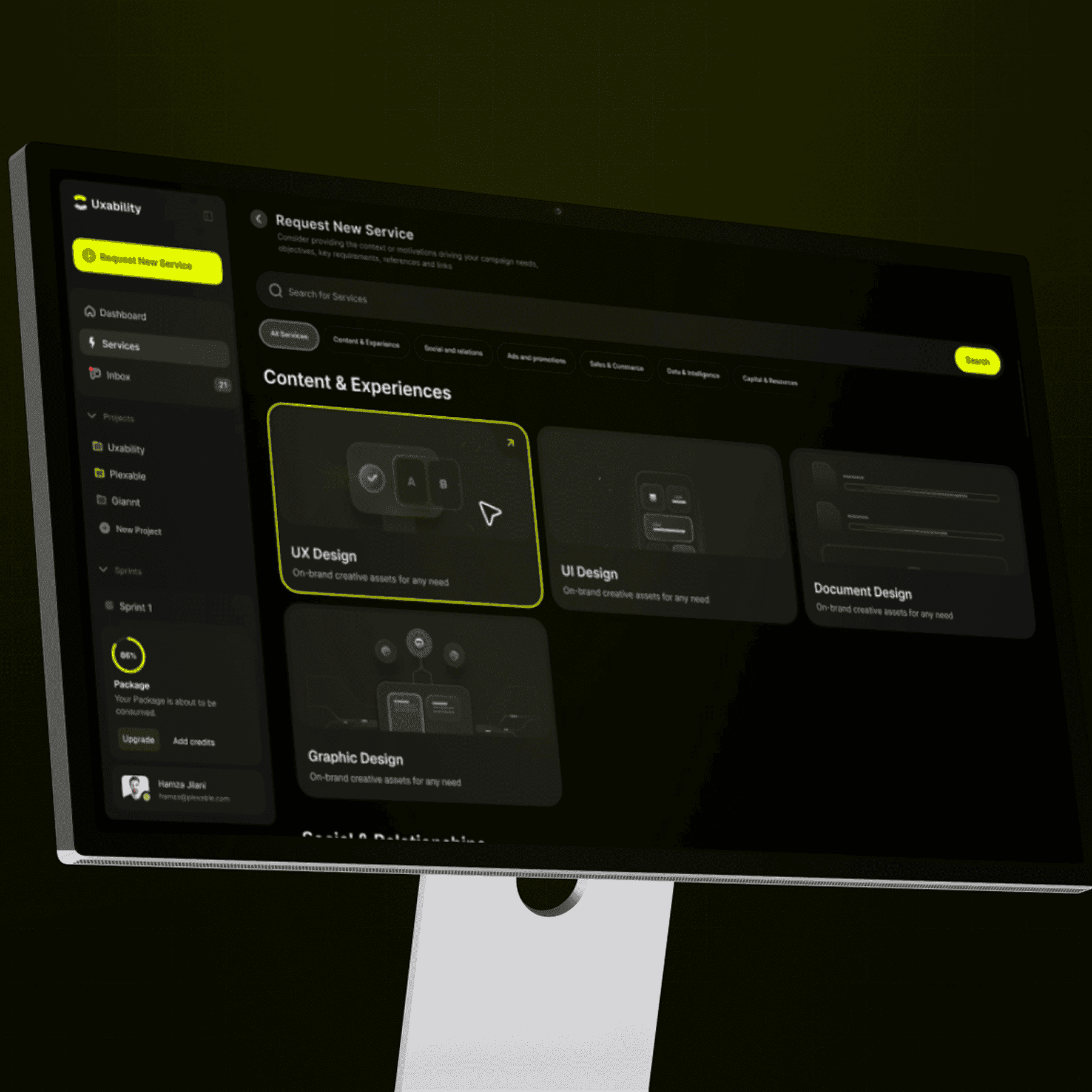
Plexable was a pleasure to work with!
We thoroughly enjoyed collaborating with Hamza, Abdul, and the team. They took ownership from day 1 and impressed us with their exceptional UX/UI expertise, and went above and beyond to help and support us.
Suruchi Gupta
Founder, Confidential
“
Working with Plexable
will accelerate your projectWorking with Plexable will accelerate your project. They provided me with extremely high-quality User Experience / Flow diagrams, and they provided it in a quick time frame and as promised. Unlike with other offshore providers that are reactive, Plexable drove the process and provided strong suggestions for improvement throughout. They took real ownership of the project as if it were their own.
Ahmad Wahidi
CEO, ELmeter
“
It was a genuinely smooth experience.
It was a genuinely smooth experience. They have a great eye for design, communicate clearly, and handle feedback with real professionalism. This was my second project with them, and once again, they delivered high-quality work ahead of schedule.
Omar Aref
Founder, DadCam
“
They delivered High Quality, Thoughtful Designs
We hired Hamza and his agency again for follow-up design work on our B2B SaaS platform, and as always, they did a fantastic job. had a pleasure to work with throughout. Reliable and flexible - we’ll definitely continue working with him.
Charles Pan
CPO, Revel Street
“
I have only good things
to say about the team at PlexableI have only good things to say about the team at Plexable. They bleed design and have a wealth of experience in UI/UX. The result for me was a very coherent design that is both beautiful and functional. I enjoyed every part of this project and can't wait for more projects with Plexable.
Mohammad Jawahri
CEO, Ursumli Game
“
It was a genuinely smooth experience
It was a genuinely smooth experience. They have a great eye for design, communicate clearly, and handle feedback with real professionalism. This was my second project with them, and once again, they delivered high-quality work ahead of schedule.
Truls Kasa
Co-Founder, Moktiv
“
Plexable helped us refine our core experience
By focusing on the logic, not just the visuals. They took our complex requirements and simplified them into a very clean, usable interface. It’s rare to find a design team that stays this focused on the actual end-user throughout the whole process.
Confidential
Co-Founder, Uxability
“
Plexable was a pleasure to work with!
We thoroughly enjoyed collaborating with Hamza, Abdul, and the team. They took ownership from day 1 and impressed us with their exceptional UX/UI expertise, and went above and beyond to help and support us.
Suruchi Gupta
Founder, Confidential
“
Working with Plexable
will accelerate your projectWorking with Plexable will accelerate your project. They provided me with extremely high-quality User Experience / Flow diagrams, and they provided it in a quick time frame and as promised. Unlike with other offshore providers that are reactive, Plexable drove the process and provided strong suggestions for improvement throughout. They took real ownership of the project as if it were their own.
Ahmad Wahidi
CEO, ELmeter
“
It was a genuinely smooth experience.
It was a genuinely smooth experience. They have a great eye for design, communicate clearly, and handle feedback with real professionalism. This was my second project with them, and once again, they delivered high-quality work ahead of schedule.
Omar Aref
Founder, DadCam
“
They delivered High Quality, Thoughtful Designs
We hired Hamza and his agency again for follow-up design work on our B2B SaaS platform, and as always, they did a fantastic job. had a pleasure to work with throughout. Reliable and flexible - we’ll definitely continue working with him.
Charles Pan
CPO, Revel Street
“
I have only good things
to say about the team at PlexableI have only good things to say about the team at Plexable. They bleed design and have a wealth of experience in UI/UX. The result for me was a very coherent design that is both beautiful and functional. I enjoyed every part of this project and can't wait for more projects with Plexable.
Mohammad Jawahri
CEO, Ursumli Game
“
It was a genuinely smooth experience
It was a genuinely smooth experience. They have a great eye for design, communicate clearly, and handle feedback with real professionalism. This was my second project with them, and once again, they delivered high-quality work ahead of schedule.
Truls Kasa
Co-Founder, Moktiv
“
Plexable helped us refine our core experience
By focusing on the logic, not just the visuals. They took our complex requirements and simplified them into a very clean, usable interface. It’s rare to find a design team that stays this focused on the actual end-user throughout the whole process.
Confidential
Co-Founder, Uxability
“
Plexable was a pleasure to work with!
We thoroughly enjoyed collaborating with Hamza, Abdul, and the team. They took ownership from day 1 and impressed us with their exceptional UX/UI expertise, and went above and beyond to help and support us.
Suruchi Gupta
Founder, Confidential
“
Working with Plexable
will accelerate your projectWorking with Plexable will accelerate your project. They provided me with extremely high-quality User Experience / Flow diagrams, and they provided it in a quick time frame and as promised. Unlike with other offshore providers that are reactive, Plexable drove the process and provided strong suggestions for improvement throughout. They took real ownership of the project as if it were their own.
Ahmad Wahidi
CEO, ELmeter
“
It was a genuinely smooth experience.
It was a genuinely smooth experience. They have a great eye for design, communicate clearly, and handle feedback with real professionalism. This was my second project with them, and once again, they delivered high-quality work ahead of schedule.
Omar Aref
Founder, DadCam
“
They delivered High Quality, Thoughtful Designs
We hired Hamza and his agency again for follow-up design work on our B2B SaaS platform, and as always, they did a fantastic job. had a pleasure to work with throughout. Reliable and flexible - we’ll definitely continue working with him.
Charles Pan
CPO, Revel Street
“
I have only good things
to say about the team at PlexableI have only good things to say about the team at Plexable. They bleed design and have a wealth of experience in UI/UX. The result for me was a very coherent design that is both beautiful and functional. I enjoyed every part of this project and can't wait for more projects with Plexable.
Mohammad Jawahri
CEO, Ursumli Game
“
It was a genuinely smooth experience
It was a genuinely smooth experience. They have a great eye for design, communicate clearly, and handle feedback with real professionalism. This was my second project with them, and once again, they delivered high-quality work ahead of schedule.
Truls Kasa
Co-Founder, Moktiv
“
Plexable helped us refine our core experience
By focusing on the logic, not just the visuals. They took our complex requirements and simplified them into a very clean, usable interface. It’s rare to find a design team that stays this focused on the actual end-user throughout the whole process.
Confidential
Co-Founder, Uxability
“
Plexable was a pleasure to work with!
We thoroughly enjoyed collaborating with Hamza, Abdul, and the team. They took ownership from day 1 and impressed us with their exceptional UX/UI expertise, and went above and beyond to help and support us.
Suruchi Gupta
Founder, Confidential
“
Working with Plexablewill accelerate your project
Working with Plexable will accelerate your project. They provided me with extremely high-quality User Experience / Flow diagrams, and they provided it in a quick time frame and as promised. Unlike with other offshore providers that are reactive, Plexable drove the process and provided strong suggestions for improvement throughout. They took real ownership of the project as if it were their own.
Ahmad Wahidi
CEO, ELmeter
“
It was a genuinely smooth experience.
It was a genuinely smooth experience. They have a great eye for design, communicate clearly, and handle feedback with real professionalism. This was my second project with them, and once again, they delivered high-quality work ahead of schedule.
Omar Aref
Founder, DadCam
“
They delivered High Quality, Thoughtful Designs
We hired Hamza and his agency again for follow-up design work on our B2B SaaS platform, and as always, they did a fantastic job. had a pleasure to work with throughout. Reliable and flexible - we’ll definitely continue working with him.
Charles Pan
CPO, Revel Street
“
I have only good thingsto say about the team at Plexable
I have only good things to say about the team at Plexable. They bleed design and have a wealth of experience in UI/UX. The result for me was a very coherent design that is both beautiful and functional. I enjoyed every part of this project and can't wait for more projects with Plexable.
Mohammad Jawahri
CEO, Ursumli Game
“
They delivered High Quality, Thoughtful Designs
We hired Hamza and his agency again for follow-up design work on our B2B SaaS platform, and as always, they did a fantastic job. had a pleasure to work with throughout. Reliable and flexible - we’ll definitely continue working with him.
Truls Kasa
Co-Founder, Moktiv
“
Plexable helped us refine our core experience
By focusing on the logic, not just the visuals. They took our complex requirements and simplified them into a very clean, usable interface. It’s rare to find a design team that stays this focused on the actual end-user throughout the whole process.
Confidential
Co-Founder, Uxability
“
Plexable was a pleasure to work with!
We thoroughly enjoyed collaborating with Hamza, Abdul, and the team. They took ownership from day 1 and impressed us with their exceptional UX/UI expertise, and went above and beyond to help and support us.
Suruchi Gupta
Founder, Confidential
“
Working with Plexablewill accelerate your project
Working with Plexable will accelerate your project. They provided me with extremely high-quality User Experience / Flow diagrams, and they provided it in a quick time frame and as promised. Unlike with other offshore providers that are reactive, Plexable drove the process and provided strong suggestions for improvement throughout. They took real ownership of the project as if it were their own.
Ahmad Wahidi
CEO, ELmeter
“
It was a genuinely smooth experience.
It was a genuinely smooth experience. They have a great eye for design, communicate clearly, and handle feedback with real professionalism. This was my second project with them, and once again, they delivered high-quality work ahead of schedule.
Omar Aref
Founder, DadCam
“
They delivered High Quality, Thoughtful Designs
We hired Hamza and his agency again for follow-up design work on our B2B SaaS platform, and as always, they did a fantastic job. had a pleasure to work with throughout. Reliable and flexible - we’ll definitely continue working with him.
Charles Pan
CPO, Revel Street
“
I have only good thingsto say about the team at Plexable
I have only good things to say about the team at Plexable. They bleed design and have a wealth of experience in UI/UX. The result for me was a very coherent design that is both beautiful and functional. I enjoyed every part of this project and can't wait for more projects with Plexable.
Mohammad Jawahri
CEO, Ursumli Game
“
They delivered High Quality, Thoughtful Designs
We hired Hamza and his agency again for follow-up design work on our B2B SaaS platform, and as always, they did a fantastic job. had a pleasure to work with throughout. Reliable and flexible - we’ll definitely continue working with him.
Truls Kasa
Co-Founder, Moktiv
“
Plexable helped us refine our core experience
By focusing on the logic, not just the visuals. They took our complex requirements and simplified them into a very clean, usable interface. It’s rare to find a design team that stays this focused on the actual end-user throughout the whole process.
Confidential
Co-Founder, Uxability
“
Plexable was a pleasure to work with!
We thoroughly enjoyed collaborating with Hamza, Abdul, and the team. They took ownership from day 1 and impressed us with their exceptional UX/UI expertise, and went above and beyond to help and support us.
Suruchi Gupta
Founder, Confidential
“
Working with Plexablewill accelerate your project
Working with Plexable will accelerate your project. They provided me with extremely high-quality User Experience / Flow diagrams, and they provided it in a quick time frame and as promised. Unlike with other offshore providers that are reactive, Plexable drove the process and provided strong suggestions for improvement throughout. They took real ownership of the project as if it were their own.
Ahmad Wahidi
CEO, ELmeter
“
It was a genuinely smooth experience.
It was a genuinely smooth experience. They have a great eye for design, communicate clearly, and handle feedback with real professionalism. This was my second project with them, and once again, they delivered high-quality work ahead of schedule.
Omar Aref
Founder, DadCam
“
They delivered High Quality, Thoughtful Designs
We hired Hamza and his agency again for follow-up design work on our B2B SaaS platform, and as always, they did a fantastic job. had a pleasure to work with throughout. Reliable and flexible - we’ll definitely continue working with him.
Charles Pan
CPO, Revel Street
“
I have only good thingsto say about the team at Plexable
I have only good things to say about the team at Plexable. They bleed design and have a wealth of experience in UI/UX. The result for me was a very coherent design that is both beautiful and functional. I enjoyed every part of this project and can't wait for more projects with Plexable.
Mohammad Jawahri
CEO, Ursumli Game
“
They delivered High Quality, Thoughtful Designs
We hired Hamza and his agency again for follow-up design work on our B2B SaaS platform, and as always, they did a fantastic job. had a pleasure to work with throughout. Reliable and flexible - we’ll definitely continue working with him.
Truls Kasa
Co-Founder, Moktiv
“
Plexable helped us refine our core experience
By focusing on the logic, not just the visuals. They took our complex requirements and simplified them into a very clean, usable interface. It’s rare to find a design team that stays this focused on the actual end-user throughout the whole process.
Confidential
Co-Founder, Uxability
“
Plexable was a pleasure to work with!
We thoroughly enjoyed collaborating with Hamza, Abdul, and the team. They took ownership from day 1 and impressed us with their exceptional UX/UI expertise, and went above and beyond to help and support us.
Suruchi Gupta
Founder, Confidential
“
Working with Plexablewill accelerate your project
Working with Plexable will accelerate your project. They provided me with extremely high-quality User Experience / Flow diagrams, and they provided it in a quick time frame and as promised. Unlike with other offshore providers that are reactive, Plexable drove the process and provided strong suggestions for improvement throughout. They took real ownership of the project as if it were their own.
Ahmad Wahidi
CEO, ELmeter
“
It was a genuinely smooth experience.
It was a genuinely smooth experience. They have a great eye for design, communicate clearly, and handle feedback with real professionalism. This was my second project with them, and once again, they delivered high-quality work ahead of schedule.
Omar Aref
Founder, DadCam
“
They delivered High Quality, Thoughtful Designs
We hired Hamza and his agency again for follow-up design work on our B2B SaaS platform, and as always, they did a fantastic job. had a pleasure to work with throughout. Reliable and flexible - we’ll definitely continue working with him.
Charles Pan
CPO, Revel Street
“
I have only good thingsto say about the team at Plexable
I have only good things to say about the team at Plexable. They bleed design and have a wealth of experience in UI/UX. The result for me was a very coherent design that is both beautiful and functional. I enjoyed every part of this project and can't wait for more projects with Plexable.
Mohammad Jawahri
CEO, Ursumli Game
“
They delivered High Quality, Thoughtful Designs
We hired Hamza and his agency again for follow-up design work on our B2B SaaS platform, and as always, they did a fantastic job. had a pleasure to work with throughout. Reliable and flexible - we’ll definitely continue working with him.
Truls Kasa
Co-Founder, Moktiv
“
Plexable helped us refine our core experience
By focusing on the logic, not just the visuals. They took our complex requirements and simplified them into a very clean, usable interface. It’s rare to find a design team that stays this focused on the actual end-user throughout the whole process.
Confidential
Co-Founder, Uxability
“
Plexable was a pleasure to work with!
We thoroughly enjoyed collaborating with Hamza, Abdul, and the team. They took ownership from day 1 and impressed us with their exceptional UX/UI expertise, and went above and beyond to help and support us.
Suruchi Gupta
Founder, Confidential
“
Plexable was a pleasure to work with!
We thoroughly enjoyed collaborating with Hamza, Abdul, and the team. They took ownership from day 1 and impressed us with their exceptional UX/UI expertise, and went above and beyond to help and support us.
Ahmad Wahidi
CEO, ELmeter
“
It was a genuinely smooth experience.
It was a genuinely smooth experience. They have a great eye for design, communicate clearly, and handle feedback with real professionalism. This was my second project with them, and once again, they delivered high-quality work ahead of schedule.
Omar Aref
Founder, DadCam
“
They delivered High Quality, Thoughtful Designs
We hired Hamza and his agency again for follow-up design work on our B2B SaaS platform, and as always, they did a fantastic job. had a pleasure to work with throughout. Reliable and flexible - we’ll definitely continue working with him.
Charles Pan
CPO, Revel Street
“
I have only good thingsto say about the team at Plexable
I have only good things to say about the team at Plexable. They bleed design and have a wealth of experience in UI/UX. The result for me was a very coherent design that is both beautiful and functional. I enjoyed every part of this project and can't wait for more projects with Plexable.
Mohammad Jawahri
CEO, Ursumli Game
“
They delivered High Quality, Thoughtful Designs
We hired Hamza and his agency again for follow-up design work on our B2B SaaS platform, and as always, they did a fantastic job. had a pleasure to work with throughout. Reliable and flexible - we’ll definitely continue working with him.
Truls Kasa
Co-Founder, Moktiv
“
Plexable helped us refine our core experience
By focusing on the logic, not just the visuals. They took our complex requirements and simplified them into a very clean, usable interface. It’s rare to find a design team that stays this focused on the actual end-user throughout the whole process.
Confidential
Co-Founder, Uxability
“
Plexable was a pleasure to work with!
We thoroughly enjoyed collaborating with Hamza, Abdul, and the team. They took ownership from day 1 and impressed us with their exceptional UX/UI expertise, and went above and beyond to help and support us.
Suruchi Gupta
Founder, Confidential
“
Plexable was a pleasure to work with!
We thoroughly enjoyed collaborating with Hamza, Abdul, and the team. They took ownership from day 1 and impressed us with their exceptional UX/UI expertise, and went above and beyond to help and support us.
Ahmad Wahidi
CEO, ELmeter
“
It was a genuinely smooth experience.
It was a genuinely smooth experience. They have a great eye for design, communicate clearly, and handle feedback with real professionalism. This was my second project with them, and once again, they delivered high-quality work ahead of schedule.
Omar Aref
Founder, DadCam
“
They delivered High Quality, Thoughtful Designs
We hired Hamza and his agency again for follow-up design work on our B2B SaaS platform, and as always, they did a fantastic job. had a pleasure to work with throughout. Reliable and flexible - we’ll definitely continue working with him.
Charles Pan
CPO, Revel Street
“
I have only good thingsto say about the team at Plexable
I have only good things to say about the team at Plexable. They bleed design and have a wealth of experience in UI/UX. The result for me was a very coherent design that is both beautiful and functional. I enjoyed every part of this project and can't wait for more projects with Plexable.
Mohammad Jawahri
CEO, Ursumli Game
“
They delivered High Quality, Thoughtful Designs
We hired Hamza and his agency again for follow-up design work on our B2B SaaS platform, and as always, they did a fantastic job. had a pleasure to work with throughout. Reliable and flexible - we’ll definitely continue working with him.
Truls Kasa
Co-Founder, Moktiv
“
Plexable helped us refine our core experience
By focusing on the logic, not just the visuals. They took our complex requirements and simplified them into a very clean, usable interface. It’s rare to find a design team that stays this focused on the actual end-user throughout the whole process.
Confidential
Co-Founder, Uxability
“
Plexable was a pleasure to work with!
We thoroughly enjoyed collaborating with Hamza, Abdul, and the team. They took ownership from day 1 and impressed us with their exceptional UX/UI expertise, and went above and beyond to help and support us.
Suruchi Gupta
Founder, Confidential
“
Plexable was a pleasure to work with!
We thoroughly enjoyed collaborating with Hamza, Abdul, and the team. They took ownership from day 1 and impressed us with their exceptional UX/UI expertise, and went above and beyond to help and support us.
Ahmad Wahidi
CEO, ELmeter
“
It was a genuinely smooth experience.
It was a genuinely smooth experience. They have a great eye for design, communicate clearly, and handle feedback with real professionalism. This was my second project with them, and once again, they delivered high-quality work ahead of schedule.
Omar Aref
Founder, DadCam
“
They delivered High Quality, Thoughtful Designs
We hired Hamza and his agency again for follow-up design work on our B2B SaaS platform, and as always, they did a fantastic job. had a pleasure to work with throughout. Reliable and flexible - we’ll definitely continue working with him.
Charles Pan
CPO, Revel Street
“
I have only good thingsto say about the team at Plexable
I have only good things to say about the team at Plexable. They bleed design and have a wealth of experience in UI/UX. The result for me was a very coherent design that is both beautiful and functional. I enjoyed every part of this project and can't wait for more projects with Plexable.
Mohammad Jawahri
CEO, Ursumli Game
“
They delivered High Quality, Thoughtful Designs
We hired Hamza and his agency again for follow-up design work on our B2B SaaS platform, and as always, they did a fantastic job. had a pleasure to work with throughout. Reliable and flexible - we’ll definitely continue working with him.
Truls Kasa
Co-Founder, Moktiv
“
Plexable helped us refine our core experience
By focusing on the logic, not just the visuals. They took our complex requirements and simplified them into a very clean, usable interface. It’s rare to find a design team that stays this focused on the actual end-user throughout the whole process.
Confidential
Co-Founder, Uxability
“
Plexable was a pleasure to work with!
We thoroughly enjoyed collaborating with Hamza, Abdul, and the team. They took ownership from day 1 and impressed us with their exceptional UX/UI expertise, and went above and beyond to help and support us.
Suruchi Gupta
Founder, Confidential
“
Plexable was a pleasure to work with!
We thoroughly enjoyed collaborating with Hamza, Abdul, and the team. They took ownership from day 1 and impressed us with their exceptional UX/UI expertise, and went above and beyond to help and support us.
Ahmad Wahidi
CEO, ELmeter
“
It was a genuinely smooth experience.
It was a genuinely smooth experience. They have a great eye for design, communicate clearly, and handle feedback with real professionalism. This was my second project with them, and once again, they delivered high-quality work ahead of schedule.
Omar Aref
Founder, DadCam
“
They delivered High Quality, Thoughtful Designs
We hired Hamza and his agency again for follow-up design work on our B2B SaaS platform, and as always, they did a fantastic job. had a pleasure to work with throughout. Reliable and flexible - we’ll definitely continue working with him.
Charles Pan
CPO, Revel Street
“
I have only good thingsto say about the team at Plexable
I have only good things to say about the team at Plexable. They bleed design and have a wealth of experience in UI/UX. The result for me was a very coherent design that is both beautiful and functional. I enjoyed every part of this project and can't wait for more projects with Plexable.
Mohammad Jawahri
CEO, Ursumli Game
“
They delivered High Quality, Thoughtful Designs
We hired Hamza and his agency again for follow-up design work on our B2B SaaS platform, and as always, they did a fantastic job. had a pleasure to work with throughout. Reliable and flexible - we’ll definitely continue working with him.
Truls Kasa
Co-Founder, Moktiv
“
Plexable helped us refine our core experience
By focusing on the logic, not just the visuals. They took our complex requirements and simplified them into a very clean, usable interface. It’s rare to find a design team that stays this focused on the actual end-user throughout the whole process.
Confidential
Co-Founder, Uxability
Frequently Asked Questions
WCAG is a technical accessibility standard published by W3C. The ADA is a US civil-rights law, and the legal duties that apply to a product or organisation depend on its context. We can design against an agreed WCAG version and level, but this service is not legal advice or a guarantee of ADA compliance. Your legal or compliance counsel should confirm the requirements that apply.
This page covers accessibility-focused product and interface design. We can use existing findings or perform a scoped design review to guide the work. A formal conformance evaluation follows a defined methodology, sample and reporting process and is scoped separately. Before starting, we record what will be designed, reviewed and verified so the handoff does not imply a broader assessment.
We can work on websites, SaaS products and mobile interfaces. The scope may cover a few priority journeys, a set of components or a broader redesign. We agree the user roles, screens, states, devices, browsers and assistive technologies that matter, then record the WCAG version and level the design will reference. Timing depends on that scope and the quality of the existing product evidence.
Useful inputs include product access, current designs, the design system, content, accessibility findings, user research and support feedback. We also need the platforms and technologies your team supports. Use test accounts, minimum necessary access and redacted examples where possible. Missing inputs do not always stop the work, but we record assumptions and gaps rather than treating them as verified facts.
The handoff can include revised screens, annotated interaction states, component guidance and a prioritised remediation list. It may also define content, focus, keyboard, error and responsive behaviour for the journeys in scope. We agree the exact format before work starts. The deliverables describe design intent; the implemented product still needs testing to confirm how it behaves.
Only when they are named in the agreed scope. Design implementation, formal WCAG evaluation, testing with assistive technologies, research with disabled users and legal review require their own plan and evidence. We do not issue accessibility certification or promise blanket compliance. After implementation, we can help define or support the checks needed for the released product.
WCAG is a technical accessibility standard published by W3C. The ADA is a US civil-rights law, and the legal duties that apply to a product or organisation depend on its context. We can design against an agreed WCAG version and level, but this service is not legal advice or a guarantee of ADA compliance. Your legal or compliance counsel should confirm the requirements that apply.
This page covers accessibility-focused product and interface design. We can use existing findings or perform a scoped design review to guide the work. A formal conformance evaluation follows a defined methodology, sample and reporting process and is scoped separately. Before starting, we record what will be designed, reviewed and verified so the handoff does not imply a broader assessment.
We can work on websites, SaaS products and mobile interfaces. The scope may cover a few priority journeys, a set of components or a broader redesign. We agree the user roles, screens, states, devices, browsers and assistive technologies that matter, then record the WCAG version and level the design will reference. Timing depends on that scope and the quality of the existing product evidence.
Useful inputs include product access, current designs, the design system, content, accessibility findings, user research and support feedback. We also need the platforms and technologies your team supports. Use test accounts, minimum necessary access and redacted examples where possible. Missing inputs do not always stop the work, but we record assumptions and gaps rather than treating them as verified facts.
The handoff can include revised screens, annotated interaction states, component guidance and a prioritised remediation list. It may also define content, focus, keyboard, error and responsive behaviour for the journeys in scope. We agree the exact format before work starts. The deliverables describe design intent; the implemented product still needs testing to confirm how it behaves.
Only when they are named in the agreed scope. Design implementation, formal WCAG evaluation, testing with assistive technologies, research with disabled users and legal review require their own plan and evidence. We do not issue accessibility certification or promise blanket compliance. After implementation, we can help define or support the checks needed for the released product.
WCAG is a technical accessibility standard published by W3C. The ADA is a US civil-rights law, and the legal duties that apply to a product or organisation depend on its context. We can design against an agreed WCAG version and level, but this service is not legal advice or a guarantee of ADA compliance. Your legal or compliance counsel should confirm the requirements that apply.
This page covers accessibility-focused product and interface design. We can use existing findings or perform a scoped design review to guide the work. A formal conformance evaluation follows a defined methodology, sample and reporting process and is scoped separately. Before starting, we record what will be designed, reviewed and verified so the handoff does not imply a broader assessment.
We can work on websites, SaaS products and mobile interfaces. The scope may cover a few priority journeys, a set of components or a broader redesign. We agree the user roles, screens, states, devices, browsers and assistive technologies that matter, then record the WCAG version and level the design will reference. Timing depends on that scope and the quality of the existing product evidence.
Useful inputs include product access, current designs, the design system, content, accessibility findings, user research and support feedback. We also need the platforms and technologies your team supports. Use test accounts, minimum necessary access and redacted examples where possible. Missing inputs do not always stop the work, but we record assumptions and gaps rather than treating them as verified facts.
The handoff can include revised screens, annotated interaction states, component guidance and a prioritised remediation list. It may also define content, focus, keyboard, error and responsive behaviour for the journeys in scope. We agree the exact format before work starts. The deliverables describe design intent; the implemented product still needs testing to confirm how it behaves.
Only when they are named in the agreed scope. Design implementation, formal WCAG evaluation, testing with assistive technologies, research with disabled users and legal review require their own plan and evidence. We do not issue accessibility certification or promise blanket compliance. After implementation, we can help define or support the checks needed for the released product.
Still have a question?
Which experience needs to work for more people?
Say
Say

Hello
Hello
Interested in joining our team?

Jordan